There is a certain cadence to a cruise day in port. You disembark, choose a cafe near the waterfront, order something cold and catch up on messages and bookings while you have decent WiFi.

That looks routine.
And mostly they are, except that it’s in port towns with open networks that browser-based account problems tend to originate.
Cruise passengers are in an unprecedented position, digitally. The internet on board is pricey and often slow, so passengers flock to cheap connections the minute they touch land.
These free networks – the kind found in cafes, cruise ports and tourist spots – are shared, often unprotected and used by hundreds of individuals transiting through the same port on the same day. Browsers carry session data, saved credentials and cookies across all of those connections, often without the cruise passenger thinking much about it.
What Your Browser Carries Without Your Knowledge
Browsers are typically thought of as neutral tools. They open a page, read it, and shut it. What really happens is more complex.
Browsers save cookies, session tokens, autofill data, and in many cases remembered passwords. These are the items that allow you to stay logged into your cruise line account, your email and your bank without having to sign in each time.
On a secure home network that convenience is fine. In a port town, on a public network used by many, it presents a different situation.
One kind of browser-directed attack is session cookie theft from an active browser session, giving someone else access to accounts that are already logged in, without ever knowing your password.
If you want to know exactly how this works, the thorough guide on malware that targets your browser explains the mechanics and recovery processes.
The short answer is if a session cookie is taken while you’re logged in anywhere then the login doesn’t matter. Two-factor authentication helps a lot, but it’s not a silver bullet for session-level access.
There is nothing technical about this that anyone can’t understand. It only changes which habits you take on board.
Port by Port: Where the Risk Really Lives

Not all cruise ports of call are created equal. The risk is concentrated in a few specific cases.
Cruise terminal waiting rooms. These are high traffic situations with hundreds of people from multiple ships cycling through the same WiFi in the same morning. The networks normally have general names and often you have no means of knowing if you are connected to the official terminal network or something nearby with a similar name.
Cafes and tourist spots in port towns. This is where most passengers spend the bulk of their online activities during a port day – arranging afternoon excursions, checking bank balances, replying to messages. The network quality varies but the access controls are all but nonexistent.
The ship’s own network. Cruise ship WiFi is more restricted than shore-based connections in general, but it is still a shared network with hundreds or thousands of passengers using it at the same time. It is better than an open café network, but not quite a private connection.
What they all have in common is that the browser doesn’t care which one you choose. It works the same on a ship network in the Caribbean as it does on your home internet – keeping sessions alive, caching data, auto-filling forms.
Practical Travel Cybersecurity Tips for Cruise Days

Nothing major in terms of the changes needed here. A few tweaks before and during the cruise cover the important points.
Before you take off:
- Update your browser to the newest version – updates fix known security holes
- Turn on 2FA on cruise line accounts (Royal Caribbean, Carnival, Norwegian all have it), email and banking apps
- Install a VPN and test it before you cruise – turn it on every time you connect to any network that’s not your own
- If you use a password manager instead of your browser’s password saving feature, remove saved passwords from your browser – having them in both places means double exposure
On port days:
- Use the VPN before you access any site that requires a login
- Don’t perform financial transactions on café or terminal WiFi without it switched on
- Log out of accounts when you are done instead of leaving sessions open
- If you need to check your bank or book something with a card, mobile data is cleaner than any shared network
A Quick Reference by Connection Type
| Connection | Risk Level | Recommended Action |
| Home broadband | Low | Regular usage, no extra steps |
| On-board ship WiFi | Medium | VPN recommended for accounts |
| Port terminal lounge | High | VPN required, log out after each session |
| Café, beach or tourist area WiFi | High | VPN required, mobile data best for payments |
| Personal mobile hotspot | Low | Safest on-shore choice |
What Two-Factor Authentication Actually Does (and Doesn’t Do)
Two-factor authentication (2FA) is an extra step to log in, like a code delivered to your phone or produced by an app. It’s quite good at stopping unauthorised logins using stolen credentials. What it doesn’t entirely guard against is session-level access, where a cloned cookie is used to obtain access to an already-authenticated account. That’s why it’s important to log out properly, and why a VPN is a layer that 2FA can’t cover on its own.
For cruise line accounts in particular, 2FA is worth setting even if you never think about it again – the account holds payment details, forthcoming itinerary information and in some circumstances passport data from your boarding documents.
Browser Settings to Adjust Before a Sailing
A few configuration adjustments take less than five minutes and decrease the browser’s vulnerability on public networks:
- Turn off auto-fill for payment information and passwords – use a dedicated password manager instead
- Set your browser to erase cookies and cache on closing, at least for the duration of the journey
- Disable extensions you don’t use often, as some access a lot of data that isn’t needed while travelling
- If you use Chrome, check what sites have saved passwords and delete anything you don’t want kept there
The Positive Side
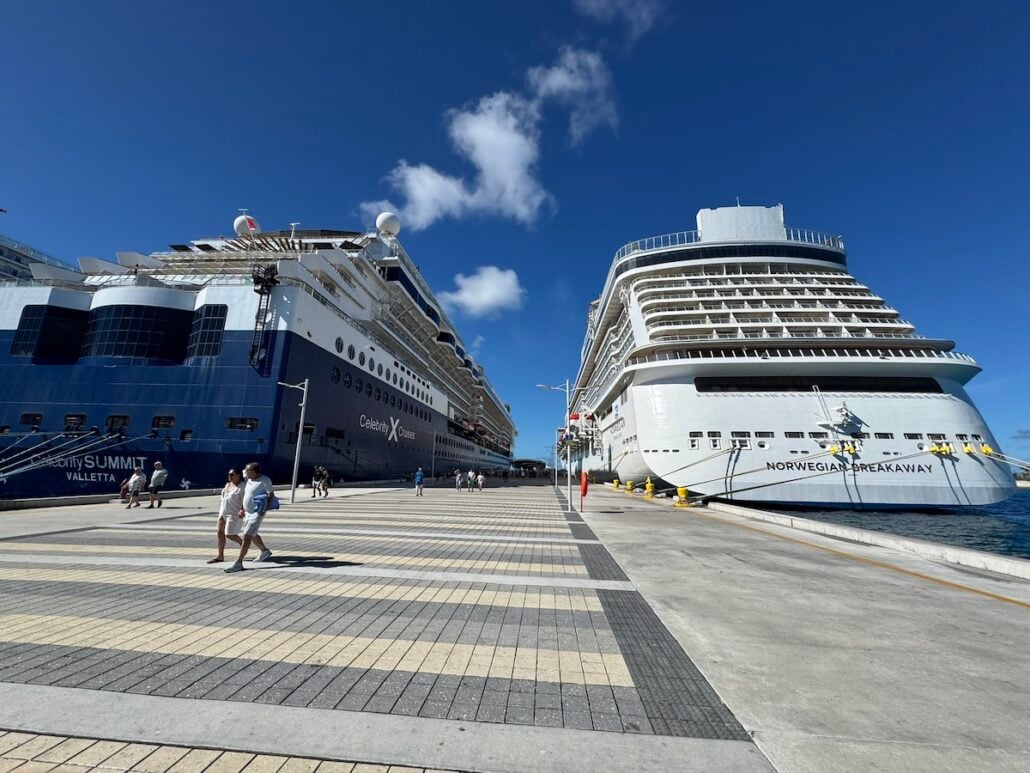
That shouldn’t take away from the appeal of a cruise. In fact, the less mind-space you waste thinking if that port café WiFi was secure, the more you have for the real reason you planned the trip.
A day in Dubrovnik, an afternoon in Kotor, a day at the beach in Belize – these don’t need a security situation in the backdrop.
Get the VPN set up before you board. Turn on 2FA for the accounts that count. Log out when you are finished in port. Then the browser takes care of it and you may take care of the itinerary.
A Few Things to Read Before You Sail
After covering cruises for more than 17 years, one thing has become clear: the best vacations usually start before you ever step onboard.
Spending a few minutes learning about your ship, ports, and what to expect can save you time, money, and frustration once you’re at sea.
That’s what we try to do here at Cruise Radio. Whether it’s a ship review, a port guide, or a practical cruise tip, our goal is simple, to help you have a better cruise.
Every sailing is different, but good preparation never goes out of style. The more you know before you leave home, the more you’ll enjoy the vacation you’ve been looking forward to.